
How to Make a Bengali-to-English Translation Worksheet in Minutes
Setting Bengali-to-English translation homework usually means formatting a numbered list by hand, in Bengali script, with enough ruled space under each line for a student to actually write in. Doing that for 20+ sentences in a word processor is fiddly — spacing breaks, numbering resets, and script rendering across fonts is unreliable.
The Translation Series tool handles the formatting for you: paste your Bengali sentences and get a properly laid-out, ready-to-print worksheet.
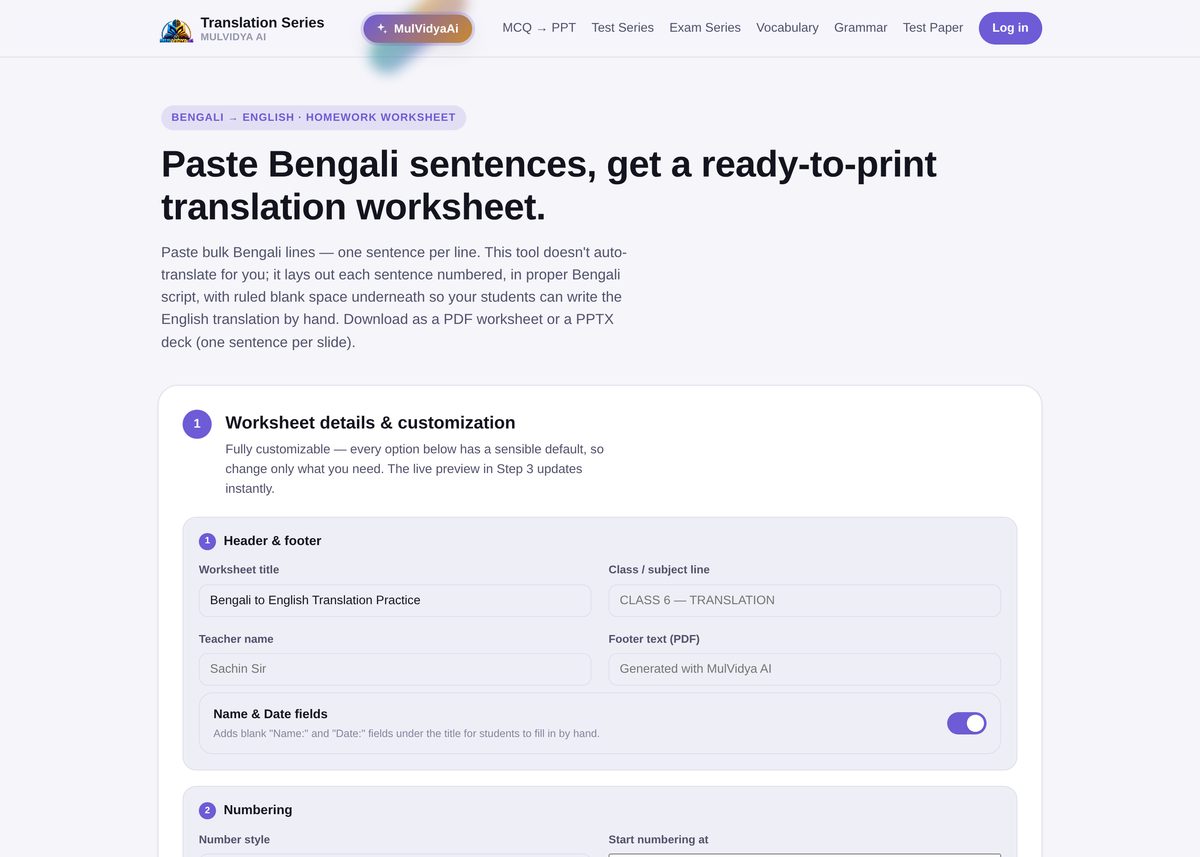
Step 1: Set the worksheet details
Every option — worksheet title, class/subject line, teacher name, footer text, and whether to include blank Name/Date fields — has a sensible default, so you only need to change what matters for this particular worksheet. The live preview updates instantly as you adjust these.
Step 2: Paste your Bengali sentences
Paste one sentence per line. Numbering is optional — it's stripped and re-numbered automatically, so you don't need to fix numbering by hand if you're copying from somewhere that starts at a different number.
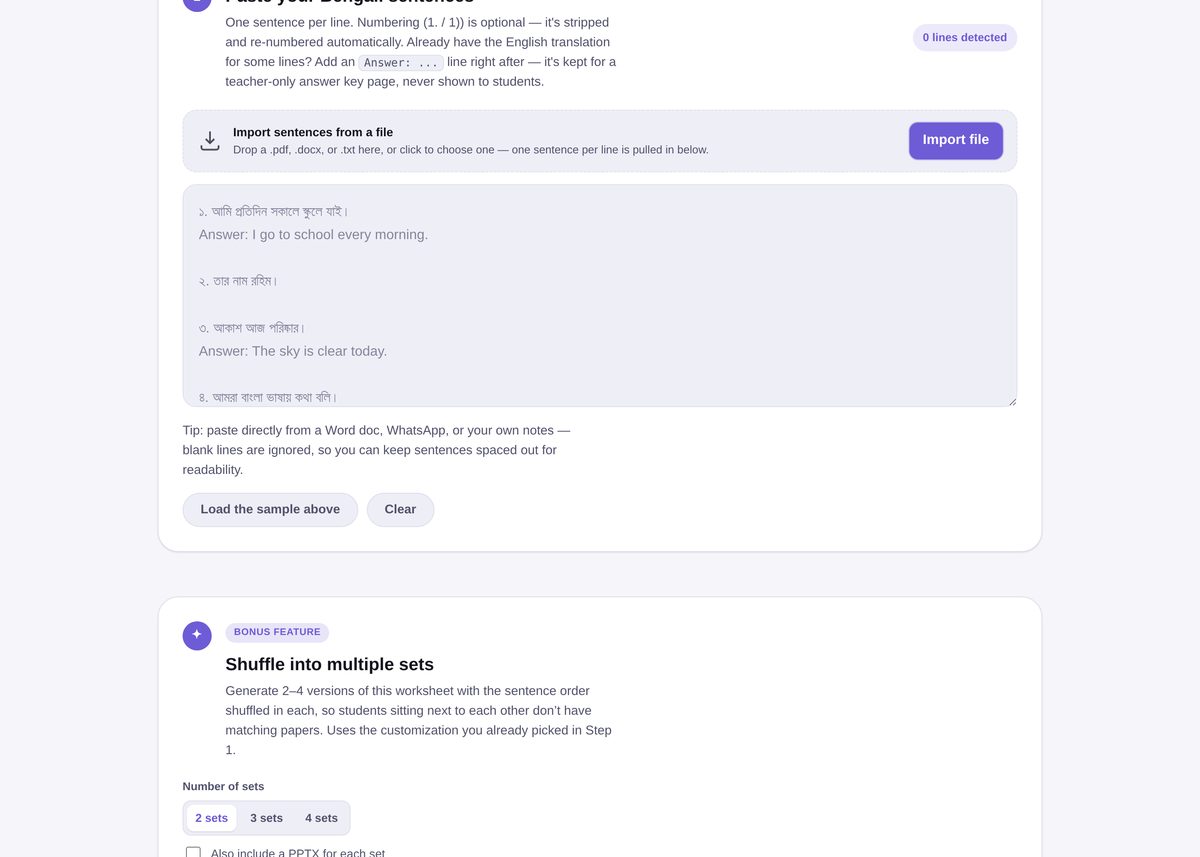
Already have the English translation for some lines? Add an Answer: ... line directly after the Bengali sentence — it's kept out of the student-facing worksheet and used only for a teacher-only answer key page.
Don't want to retype sentences you already have written down? Use Import file to pull sentences in from a .pdf, .docx, or .txt file — one sentence per line is extracted automatically.
Step 3: Preview and generate
Check the live preview, then download as a printable PDF worksheet or a PPTX deck with one sentence per slide — useful if you want to work through translations together on a projector before assigning the rest as homework.
Bonus: multiple shuffled sets
For classroom tests rather than take-home worksheets, generate 2–4 versions with the sentence order shuffled in each, using the same customization you picked in Step 1 — handy for reducing copying without writing separate worksheets by hand.
Common mistakes to avoid
- Mixing answer lines into the sentence itself. Keep the Bengali sentence and its
Answer: ...line as two separate lines, or the parser can't tell where one ends and the other begins. - Leaving Numbering on when you're pasting already-numbered text. Numbers are re-generated automatically, so pasted numbering is stripped either way — no need to remove it yourself first.
- Retyping sentences that already exist in a file. Use Import file instead of retyping a list you already have in a Word doc or PDF.
Related tools
Need English grammar or vocabulary practice to go alongside translation homework? See the Grammar Series and Vocabulary Series guides.
Frequently Asked Questions
Does the tool translate the sentences for me?
No. It doesn't auto-translate — it lays out each Bengali sentence, numbered and in proper script, with ruled blank space underneath for the student to write the English translation by hand.
Can I include an answer key for myself?
Yes. Add an "Answer: ..." line right after any sentence and it's kept for a teacher-only answer key page, never shown to students.
Can I import sentences instead of pasting them?
Yes, you can import sentences from a .pdf, .docx, or .txt file, or paste directly from a Word document, WhatsApp, or your own notes.
What file formats can I download?
A ready-to-print PDF worksheet, or a PPTX deck with one sentence per slide.
Can I generate a few shuffled versions?
Yes — the bonus "Shuffle into multiple sets" feature generates 2–4 versions with the sentence order shuffled in each, so students sitting near each other don't have matching papers.