
AI Flashcards: Turn Any Topic Into a Study Deck in Seconds
Making a flashcard deck by hand — even a simple one — usually means writing out a term-and-definition pair for every single card, one at a time. The AI Flashcards Studio generates a full deck from just a topic name.
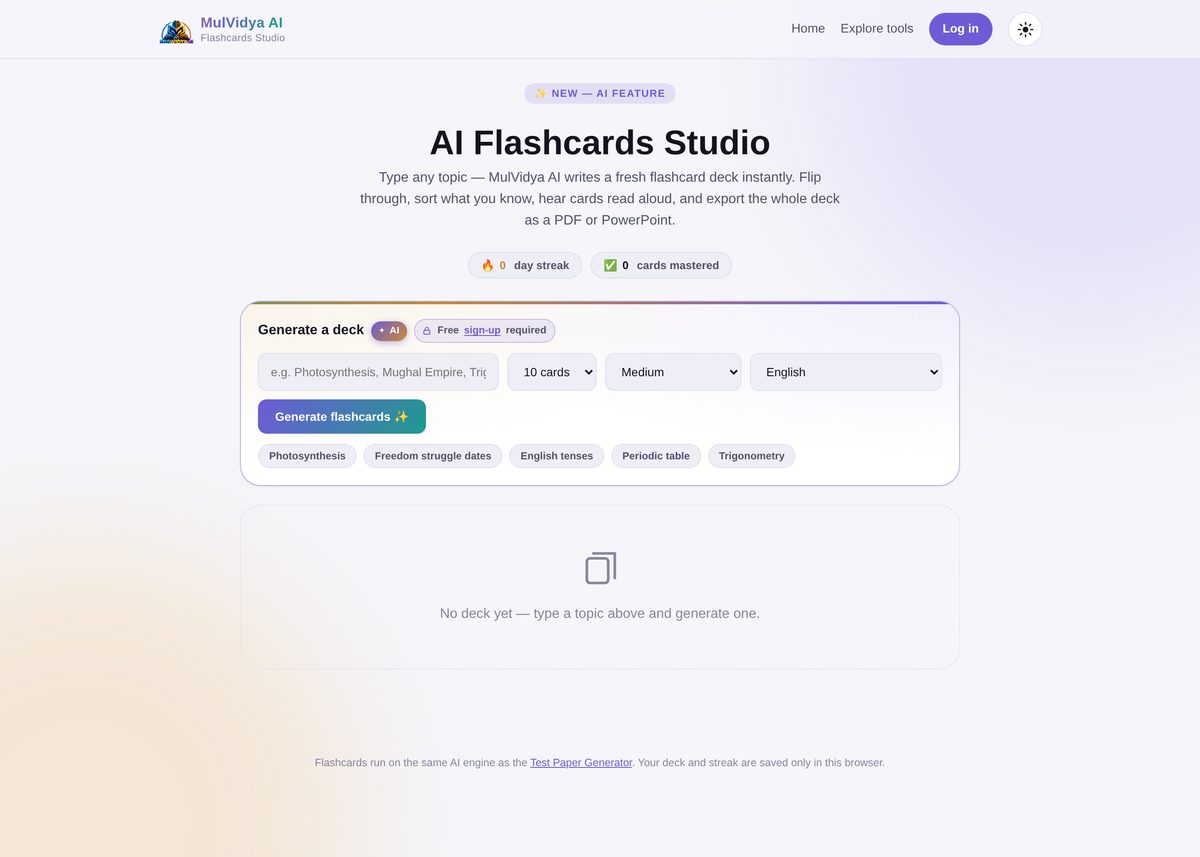
Step 1: Type a topic
Type any topic — the page's own quick-pick chips give a sense of range: Photosynthesis, Freedom struggle dates, English tenses, Periodic table, Trigonometry. Anything specific enough to have real facts to quiz on works.
Step 2: Set the deck options
Choose the number of cards (e.g. 10), a difficulty level (e.g. Medium), and a language, then click Generate flashcards. Generating a deck is free, but does require a quick sign-up.
Step 3: Study the deck
Once generated, flip through cards, sort out the ones you already know, and track a running day streak and a count of cards mastered — small feedback loops that make repeated short study sessions easier to keep up.
Cards can also be read aloud for auditory revision, and the day streak and mastered-card count are saved in your browser so progress carries over between sessions.
Step 4: Export for offline study
Export the finished deck to PDF for printing, or to PowerPoint if you'd rather flip through cards as slides — useful for a quick group revision session on a projector.
Common mistakes to avoid
- Typing a topic that's too broad. "History" generates far less useful cards than "Freedom struggle dates" — narrow, specific topics produce more testable cards.
- Generating once and never revisiting the streak. The day-streak and mastered-card tracking is built for spaced, repeated review — a single long session doesn't get the same benefit as short sessions spread across several days.
Related tools
Want a printable question paper from the same kind of topic instead of flashcards? See the Book / Chapter → Test Paper guide, or the main Test Paper Generator.
Frequently Asked Questions
Do I need an account to generate flashcards?
Generating a deck is free but requires signing up — once signed in, your deck and study streak are saved only in your browser.
Can I control how many cards are generated?
Yes — set the card count (e.g. 10 cards), a difficulty level, and a language before generating.
Can I hear the flashcards read aloud?
Yes — cards can be read aloud, useful for auditory revision or hands-free review.
What can I export the deck to?
A generated deck can be exported to PDF or PowerPoint for offline revision or printing.
What AI does the flashcard generator use?
Flashcards run on the same AI engine as the Test Paper Generator.